You found a temperature reading that makes no sense. Maybe the truck set a code right after an intake swap. Now you are staring at two similar-looking sensors and a parts listing that calls both of them “IAT.” Hold off on the order.
On these trucks, the first question is not just where is the sensor? It is which air temperature is your scan tool showing? The air entering the turbo and the air reaching the intake manifold are measured at different points on some applications. Follow the air path and the diagnosis gets much simpler.
Quick answer
- For a 2003–2007 5.9L common-rail Ram, begin at the factory airbox and inlet tube when identifying the intake-side air temperature sensor. Do not mistake a nearby manifold pressure sensor for it.
- For a 6.7L Ram, identify the model year and the reading you need first. An inlet-air reading and a manifold or charge-air reading can come from different locations.
- After an overnight cold soak, compare temperature readings before starting the engine. A wildly implausible value points you toward the sensor circuit, connector, wiring, or the wrong scan-tool parameter.
- If the fault appeared immediately after intake work, inspect every sensor connector and seal you touched before buying a replacement.
Where Is the Intake Air Temperature Sensor on a 5.9L vs 6.7L Cummins?
Start with the model year, then follow the air
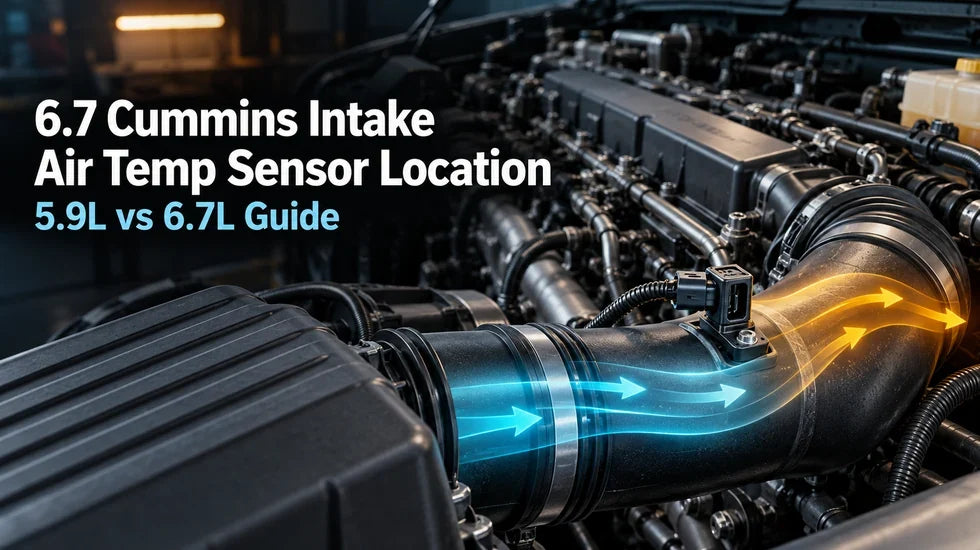
Open the hood and trace the route: airbox, inlet tube, turbocharger, charge-air cooler, then the intake manifold. An air temperature reading taken ahead of the turbo answers a different question from one taken after compression and cooling. That is why a single “IAT location” diagram can send you to the wrong side of the engine.
The 6.7 cummins intake air temp sensor location also depends on the truck you are working on. A 2008 pickup, a 2017 pickup, and a later chassis-cab application should not be treated as one identical layout. Start with the year, model, engine, and the exact scan-tool parameter. Then match the connector and mounting point on the truck.
2003–2007 5.9L common-rail trucks
If you are searching for the 5.9 cummins intake air temp sensor location on a 2003–2007 Ram, inspect the factory airbox and inlet-tube area first. Look for the sensor installed in the air path leading toward the turbo, then trace its harness. A sensor on the intake manifold serves a different measurement point; similar connectors do not make the parts interchangeable.
Take a clear photo before unplugging anything. Capture the sensor, its mounting surface, and the wire route in one frame. It takes seconds and can spare you an hour of guessing when two disconnected plugs are hanging in the same corner of the engine bay.
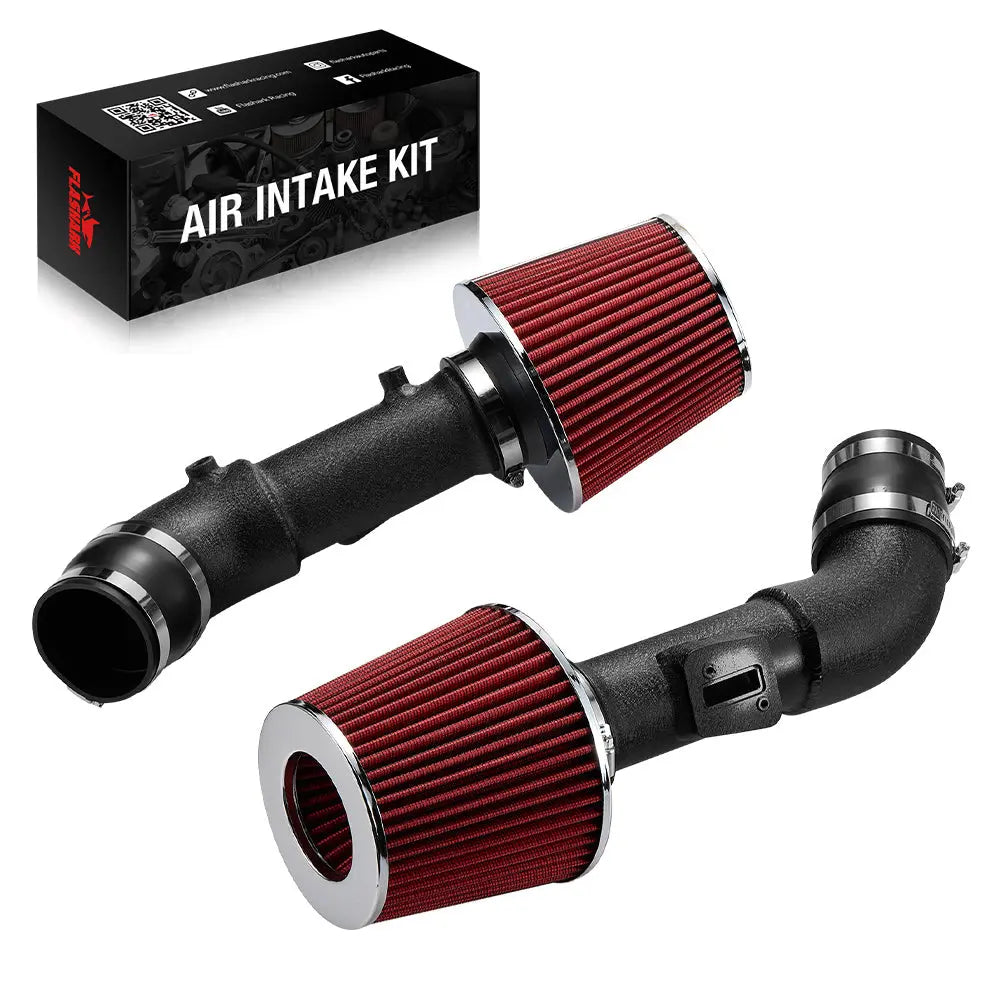
If you are replacing the factory intake on this generation, compare the sensor opening, seal, and harness reach with the 2003–2007 Ram 5.9L Cummins cold air intake kit before removing the original tube. Keep your old parts nearby until the transferred sensor is seated and the truck passes its first-start check.

5.9L Cummins Cold Air Intake
2003–2007 Ram 2500/3500 · Check sensor fit and harness reach.
Contact for price
View fitment and details →6.7L trucks: inlet temperature versus manifold temperature
On a 6.7L, check whether your scan tool is displaying inlet air temperature or intake-manifold temperature. The inlet measurement belongs near the air cleaner or pre-turbo intake path on applications equipped that way. The manifold-side measurement belongs farther downstream, where the air has passed through the turbo and charge-air system. Some manifold pressure and temperature functions share a sensor housing; other temperature sensing functions remain separate.
Do not pick a sensor by its position alone. Read the code description, look at the parameter name, and follow the harness to the part. A “P0113” complaint and a manifold-temperature circuit complaint need different checks even when both involve air temperature.
Why IAT, MAP, and Manifold Temperature Get Confused
Three readings, two sides of the turbo
IAT describes an air-temperature measurement. MAP describes manifold absolute pressure. The confusion starts when temperature and pressure elements live in the same housing or a scan tool shortens the parameter name. A connector with several wires near the intake manifold may report both pressure and temperature, while another sensor nearer the airbox reports incoming-air conditions.
Imagine a truck sitting overnight at about 60°F. Before startup, its air-temperature readings should be broadly plausible for that setting. After the engine warms, the inlet and manifold readings need not track each other. Compression heats air; the charge-air cooler removes some of that heat; low-speed operation can warm nearby parts. Comparing the two as though they were mounted side by side will give you a bad diagnosis.

When pressure and temperature share a housing
A combined manifold sensor does two jobs through one assembly. That does not mean every IAT reading on the truck comes from that assembly. Before removing it, look at the scan-tool label and the connector on your particular truck. If you are chasing a pressure fault, temperature data may still look normal. If you are chasing a temperature fault, pressure may still respond normally.
Garage rule: Identify the measurement point before identifying the replacement part. “It looks like the sensor in the video” is not enough.
Five wrong-sensor traps
- Following the wrong temperature parameter. Record the full scan-tool label, not just “IAT.”
- Copying another model year's layout. Confirm the truck's year and configuration first.
- Confusing the inlet and manifold sides. Trace the air path from filter to engine.
- Ordering by connector shape. Match the part number and application.
- Blaming the sensor after an intake install. Check the connector, mounting seal, and harness routing you just handled.
Here is how I would handle that last one in the bay: if a truck arrives with a fresh code and the owner says it started on the first key cycle after an intake swap, I leave the new sensor in the box. I photograph the installation, read the stored code and freeze-frame data, then put my hand on each disturbed connector. A half-seated plug can produce a dramatic temperature reading. Buying a sensor before finding that loose plug only makes the job more expensive.
How to Test IAT Data Before Replacing a Sensor
Run the cold-soak check first
Park the truck long enough for the engine bay to cool thoroughly; overnight is useful. In the morning, turn the key on without starting the engine. Read ambient temperature, inlet IAT, manifold temperature if available, and engine coolant temperature. Write down every value and its exact parameter label.
The readings do not need to be identical. The truck may have sat in the sun, and sensors are mounted in different materials and locations. But an air-temperature parameter stuck at an extreme value while the truck is sitting in mild weather deserves attention. So does a reading that jumps when the harness moves and the engine is still off.
For the 6.7 cummins intake air temp sensor location question, this test does double duty: it tells you whether the reading is plausible and helps you determine which physical sensor your scan tool is reporting. Change one thing at a time and watch the corresponding parameter.

Watch the trend, not one magic number
Start the engine and let it idle. Watch both temperature parameters if your tool provides them. Then make a short, moderate-load drive where conditions permit. The manifold-side reading can respond to boost and charge-air cooling differently from an inlet-side reading. A warm idle after a hard pull may also show heat soak.
What matters is the pattern: Does the reading move smoothly? Does it react to operating conditions? Does it freeze at one value, drop out, or jump abruptly when the wiring moves? A single hot reading after a tow does not condemn a sensor. An impossible reading before the engine even starts is a much stronger reason to inspect its circuit.
Confirm the fault before buying parts
Save the stored and pending codes. Save freeze-frame data if your tool offers it. Then inspect the sensor connector for a broken lock, bent or pushed-back terminals, moisture, and green corrosion. Follow the harness far enough to find rubbing points near brackets and hot parts.
With the key off, gently move the harness while checking for obvious damage. For live-data checks and electrical measurements, follow the service procedure for your exact truck. Do not probe a connector blindly or assume a pinout from a different model year. If the connector and wiring pass inspection, compare the suspect sensor's behavior with the vehicle-specific test procedure before replacing it.
Diagnose Codes, Wiring, and Sensor Faults in Order
Read P0111, P0112, and P0113 as clues
P0111 generally points to an intake-air-temperature range or performance problem. P0112 and P0113 point toward opposite electrical-input conditions. These labels narrow the search; they do not prove the sensing element itself has failed. An open connector, damaged wire, poor terminal contact, or short can put the displayed temperature far outside real-world conditions.
Read the full description your scan tool supplies. A manifold-temperature fault may use a different code family from an inlet-IAT fault. If pressure-related codes are present too, inspect any shared sensor housing and its connector as a system rather than replacing the first temperature sensor you see.
Inspect what an intake job can disturb
Unplugging a sensor is easy. Fully reconnecting one while a new tube, heat shield, and wiring loom fight for space can be less pleasant. Check that the connector has clicked home and that its secondary lock is engaged where fitted. Look for a wire stretched tight across the new tube or trapped beneath a bracket. Check the sensor seal and mounting face as well.
If the fault began immediately after intake work, start with the parts you moved: the sensor connector, mounting seal, tube joints, and harness clips. Compare the cold reading with the value you recorded before the installation. A fault that appears on the first key cycle deserves an installation check before a replacement sensor.
Separate a bad sensor from a fresh installation mistake
Here is another bay scenario I would work in a strict order. The truck ran normally yesterday. Today it has a temperature-circuit code immediately after an intake installation. First I compare the saved cold reading with ambient conditions. Next I inspect the transferred sensor and its O-ring, then the connector and harness. Only after the installation passes those checks do I move to electrical testing and a possible replacement sensor.
That order matters. A damaged O-ring can cause a sealing problem, and an unplugged temperature sensor can cause an implausible reading; they are different faults. Fix the problem the test actually reveals. Do not treat the new intake, the sensor, and the wiring as one mystery part.
Remove the Sensor and Choose an Intake Without Creating New Faults
Protect the connector, sensing tip, and seal
Let the engine and nearby components cool. Take a photo before moving the harness. Release the connector lock as designed and pull on the connector body, not the wires. Once the sensor is out, keep dirt away from the exposed opening and do not scrub or bend the sensing element.
Check the O-ring or gasket before installation. A seal that is cut, flattened, or twisted needs attention before you tighten the mounting hardware. Use the instructions for the particular sensor and intake kit for its installation method and torque. Different sensor mounts do not share one safe tightening number.

Check sensor provision before choosing a 5.9L or 6.7L intake
An intake tube is not a substitute for a working sensor circuit. When comparing the factory system with an aftermarket intake, focus on the physical details that affect the job:
| Check | Factory intake | Aftermarket intake |
|---|---|---|
| Sensor mounting | Original mounting point and seal | Correct provision for the truck's original sensor and seal |
| Harness reach | Original wire route | No tension, chafing, or contact with hot or moving parts |
| Fitment | Built for the truck's original configuration | Match year, model, engine, and emissions equipment |
| Temperature result | Depends on driving and under-hood conditions | Also depends on filter location, shielding, airflow, and conditions |
For a later engine generation, compare the truck's sensor layout with the 2007.5–2012 Ram 6.7L Cummins cold air intake kit. The mid-2007 engine change matters: an early 2007 5.9L truck and a 2007.5 6.7L truck do not use the same intake application. Check the model, engine, and sensor connections on the truck before ordering.
If you are still comparing designs and filter layouts, read the 6.7L Cummins cold air intake buyer's guide after you have identified your sensor setup. Choose the intake for the truck first; use temperature data to check the result afterward.

Early 6.7L Cummins Cold Air Intake
2007.5–2012 application · Dry reusable filter.
$117.77 $137.00
My installation habit is simple: lay the factory tube and replacement tube beside each other before transferring anything. I line up the sensor positions, seals, hose connections, and wire reach. If one connection cannot sit naturally, I stop there. Forcing a short harness to reach a shiny new tube is a good way to create tomorrow's fault code.
Final Checklist: Identify, Test, Then Replace
If you came here for the 6.7 cummins intake air temp sensor location, leave with more than a place to point your finger. Leave with the correct measurement point.
- Identify: Record the year, model, engine, code description, and full scan-tool parameter name.
- Compare: After a cold soak, record ambient, inlet, manifold, and coolant temperatures before startup where those parameters are available.
- Inspect: Check the relevant connector, seal, and harness; pay close attention to anything disturbed during recent intake work.
- Decide: Match any replacement sensor or intake to the truck and repeat the same data check after the repair.
Diagnose the fault first. Then choose parts that belong on that truck. If your year falls outside the two applications above, browse the Dodge Ram cold air intake kits and match the selected product to your engine and sensor layout.
FAQ: Cummins Intake Air Temperature Sensors
Q1: Does a 6.7L Cummins have only one intake air temperature sensor?
A1: Do not assume so. Depending on the application, an inlet-air reading and a manifold or charge-air reading can come from different measurement points. Match the scan-tool parameter to the truck's sensor layout.
Q2: Why is manifold air temperature different from inlet IAT?
A2: The air changes temperature as it passes through the turbocharger, charge-air cooler, and intake path. Sensor location and heat soak also affect the reading.
Q3: Will a cold air intake fix an IAT fault code?
A3: An intake kit will not repair a damaged sensor circuit. Inspect the connector, wiring, sensor, and any recently installed parts to find the actual fault.
Q4: Can I use a 6.7L intake kit on a 5.9L Cummins?
A4: Do not choose by engine family alone. Match the kit to the truck's year, model, engine, mounting points, and sensor connections.
Q5: What should I check before buying a 6.7L intake?
A5: Check the exact vehicle application, sensor-mounting provisions, harness reach, filter location, and the selected kit's installation instructions.
Q6: What is the unplugged connector near my intake manifold?
A6: Its location alone is not enough to identify it. Follow the harness, compare its connector with the truck's sensor layout, and read any stored fault codes before reconnecting it.
Q7: Can I reuse an IAT sensor O-ring?
A7: Follow the sensor and intake-kit instructions. Inspect the seal for cuts, flattening, or twisting; replace it if the specified procedure calls for a new seal or its condition is poor.
Q8: Does a cold air intake require a tune on a 6.7L Cummins?
A8: Requirements depend on the vehicle and the installed hardware. A replacement intake and a change to sensor range or engine calibration are different jobs. Follow the instructions for the exact configuration.
Q9: Can I leave an original intake sensor unplugged after an upgrade?
A9: No. Keep required original sensor functions connected and installed in the positions specified for the vehicle and kit. Do not use an unused gauge port as an improvised substitute.
Q10: Should I buy an OEM or aftermarket replacement IAT sensor?
A10: Diagnose the circuit first. Then compare the correct part number, connector, mounting style, seal, and warranty for the exact truck rather than choosing by price or appearance alone.

Steven Chen
Automotive Performance Specialist | Engine & Exhaust Systems
Steven focuses on practical engine performance, exhaust fitment, and real-world upgrade paths for classic and modern enthusiast vehicles. His work includes small-block Ford, LS, truck, and street/strip applications, with an emphasis on choosing compatible parts. His philosophy is: “Good power starts with the right combination, not the biggest part.”